
AI Photo Editor — edit photos by describing the change
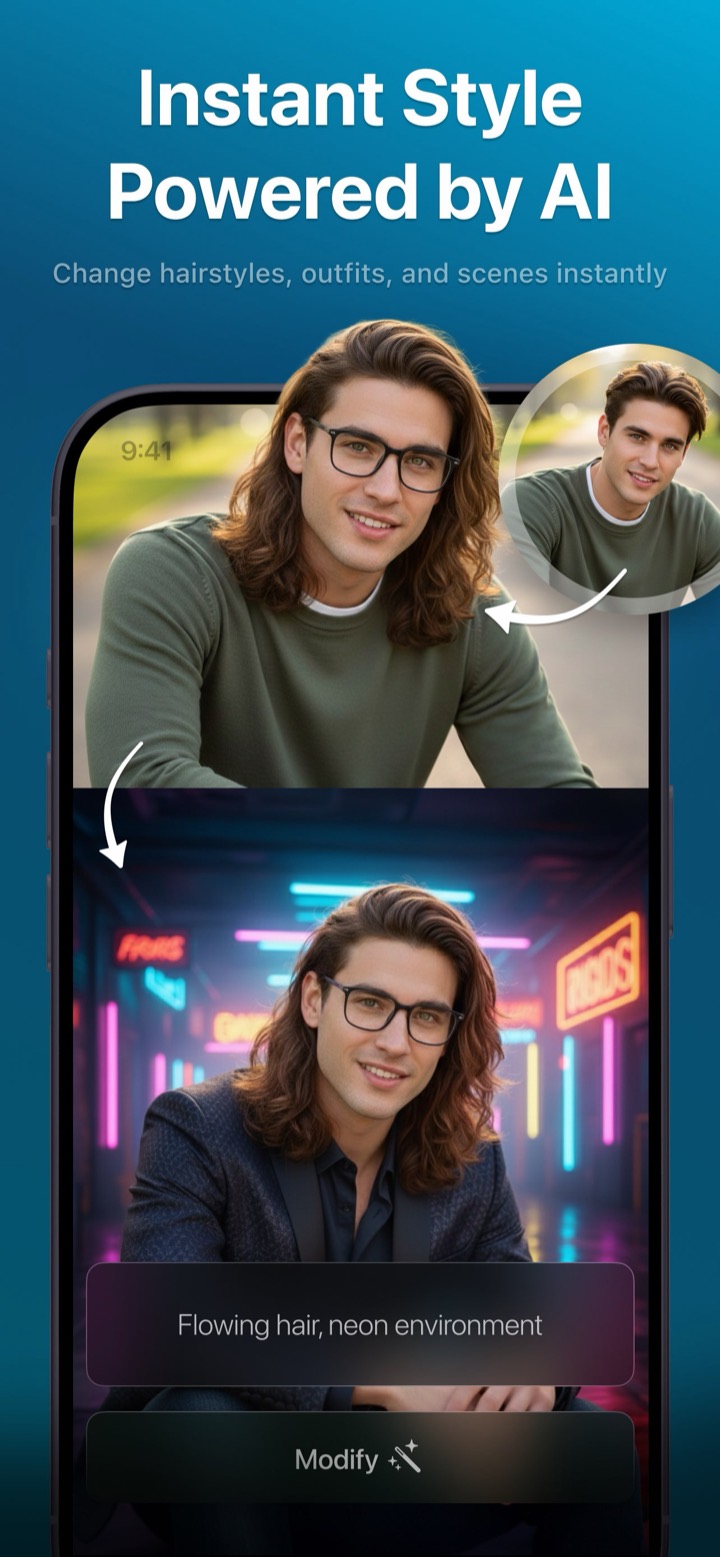
Forget layers, masks, and menus. Upload a photo, type what you want changed, and Photix does it. Then keep going — each edit stacks on the last, so you can sculpt an image one sentence at a time.
Editing that feels like a conversation
Most photo editors make you find the right tool before you can make a change. Photix removes that step entirely. You describe the result you want and it figures out how to get there — then remembers what you asked for, so your next instruction builds on the last one.
- Change outfits, backgrounds, hair, lighting, and more
- Iterative edits that accumulate step by step
- Blend two reference photos into one composition
- Compare variants and save the best result
Describe, modify, repeat
- 1
Set a photo
Pick the image you want to edit. Add an optional second photo as extra reference to blend or guide the change.
- 2
Describe the change
Type what you want in plain language — an outfit, a background, the lighting, a new object, a different season.
- 3
Tap Modify
Photix applies your instruction and shows the result. Don't like it? Regenerate to get alternate variants.
- 4
Stack & save
Modify again to build on the last result, flip between variants, then save the one you love to Photos or share it.
Real edits, in plain language
Here's the kind of instruction Photix understands — and how the edits stack together.
“Add a red beret and change the background to Paris”
A new outfit and setting, applied in one edit.
“Make it look like autumn”
Warm tones and seasonal light layered on the previous result.
“I want curly blond hair”
A natural hairstyle change that keeps the face intact.
“Nighttime with neon”
A whole new mood and lighting for the same portrait.
AI photo editor questions
How do I edit a photo with Photix?
Can I stack multiple edits?
Can I combine two photos?
Do I need photo-editing skills?
More Photix features
One app, a whole creative studio. See what else your imagination can do.
Edit your first photo free
Download Photix and change any picture just by describing what you want.
Rated 4.8 by 2M+ happy users