
Everything Photix can create
Photix is a pocket-sized creative studio. Four creative modes, ten art styles, prompt enhancement, reference photos, and instant sharing — all wrapped in a friendly, tap-and-type interface that needs no design skill.
An AI image generator that meets you halfway
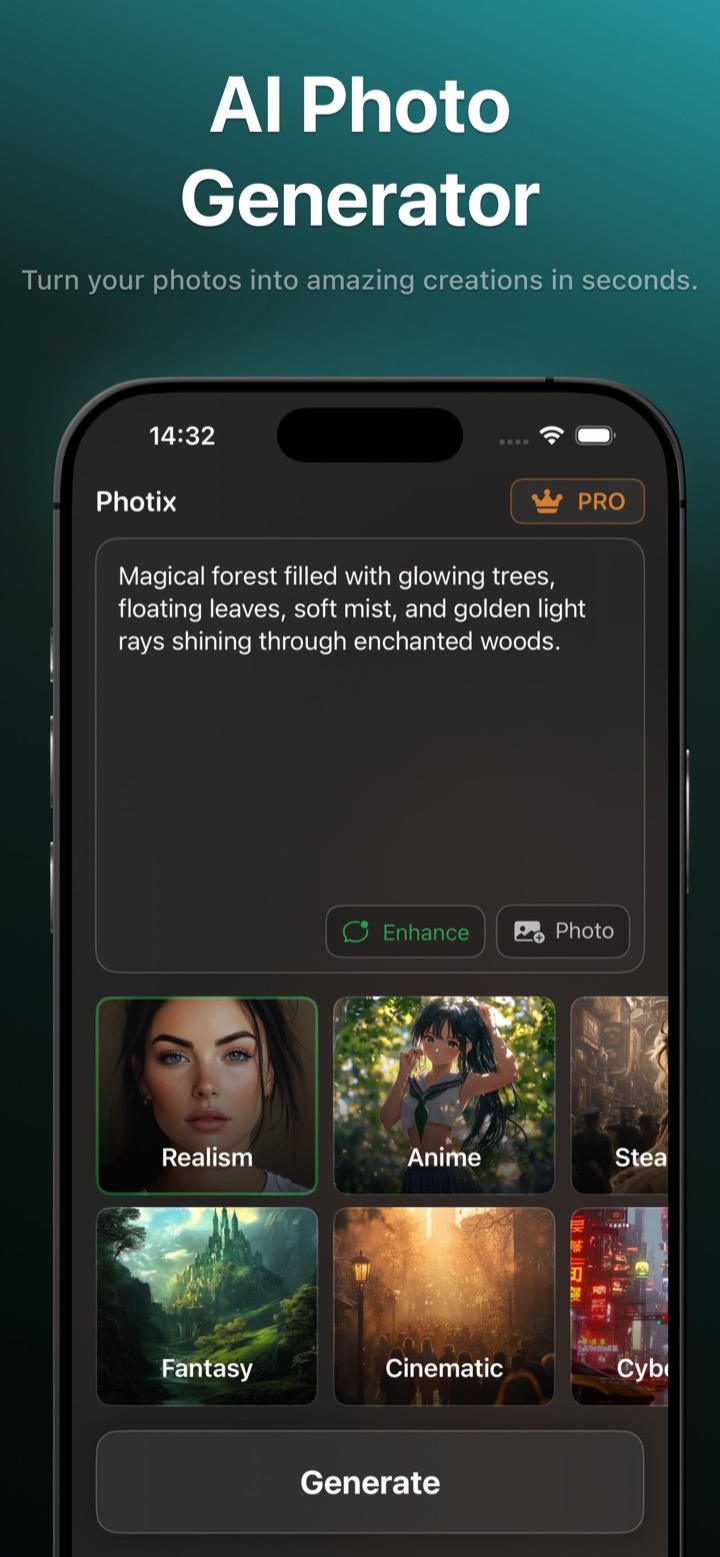
Type an idea into the “Describe your idea…” box, pick from ten curated styles, and generate a brand-new image. Attach up to two reference photos to combine or transform existing pictures, and toggle Enhance Prompt to let Photix enrich short descriptions into detailed prompts.
- Free-form prompt plus one-tap style recipes
- Enhance Prompt turns a few words into a rich description
- Up to two reference photos per generation
- Regenerate up to 10 variations from one result
Conversational photo editing, no layers required
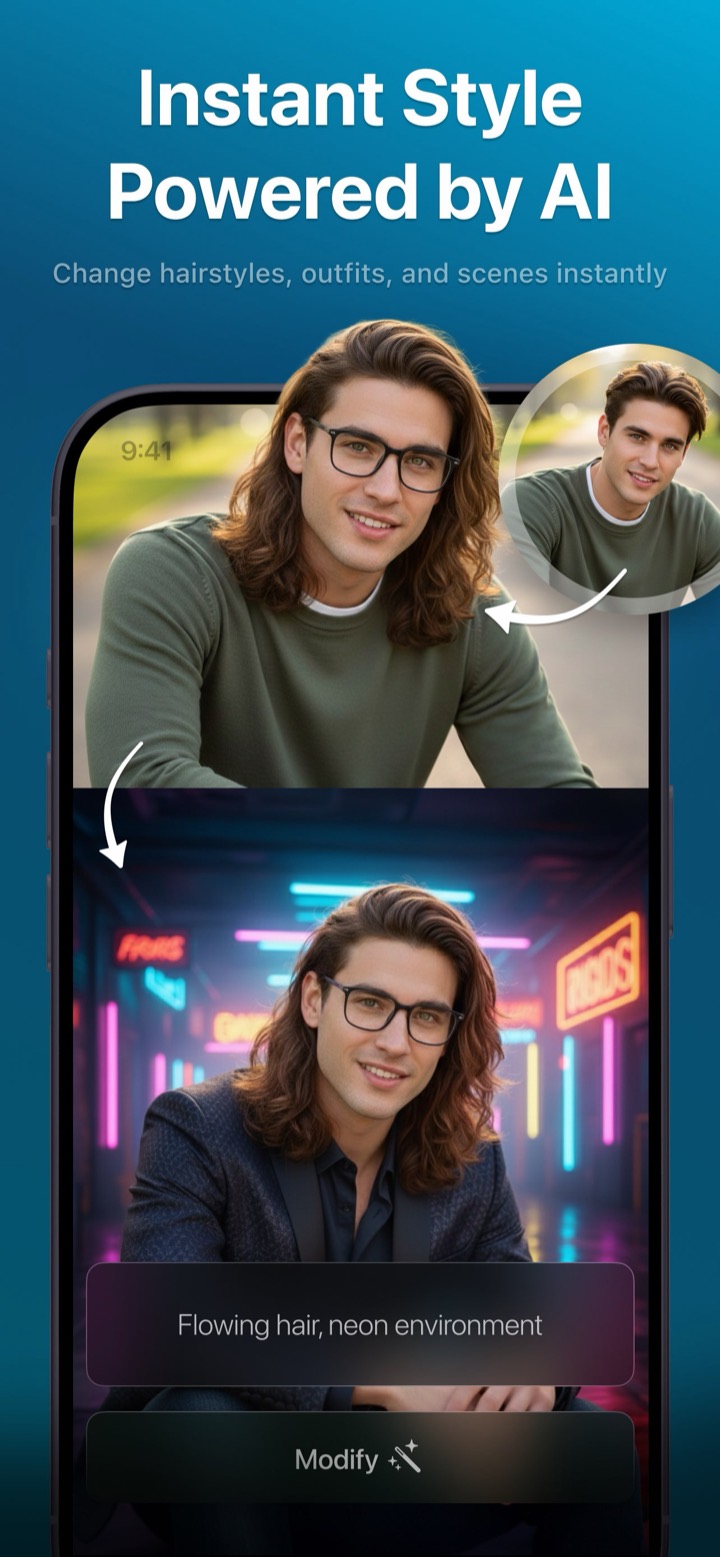
Set a photo, describe the change, and tap Modify. Each edit accumulates on the previous result, so “add a red hat” followed by “make it look like autumn” stacks naturally. Add a second reference photo to guide the edit, and navigate between variants before you save.
- Describe changes in plain English
- Iterative, multi-step edits that build on each other
- Combine two photos into one composed image
- Save the variant you love to the result screen
Themed avatars from a single selfie
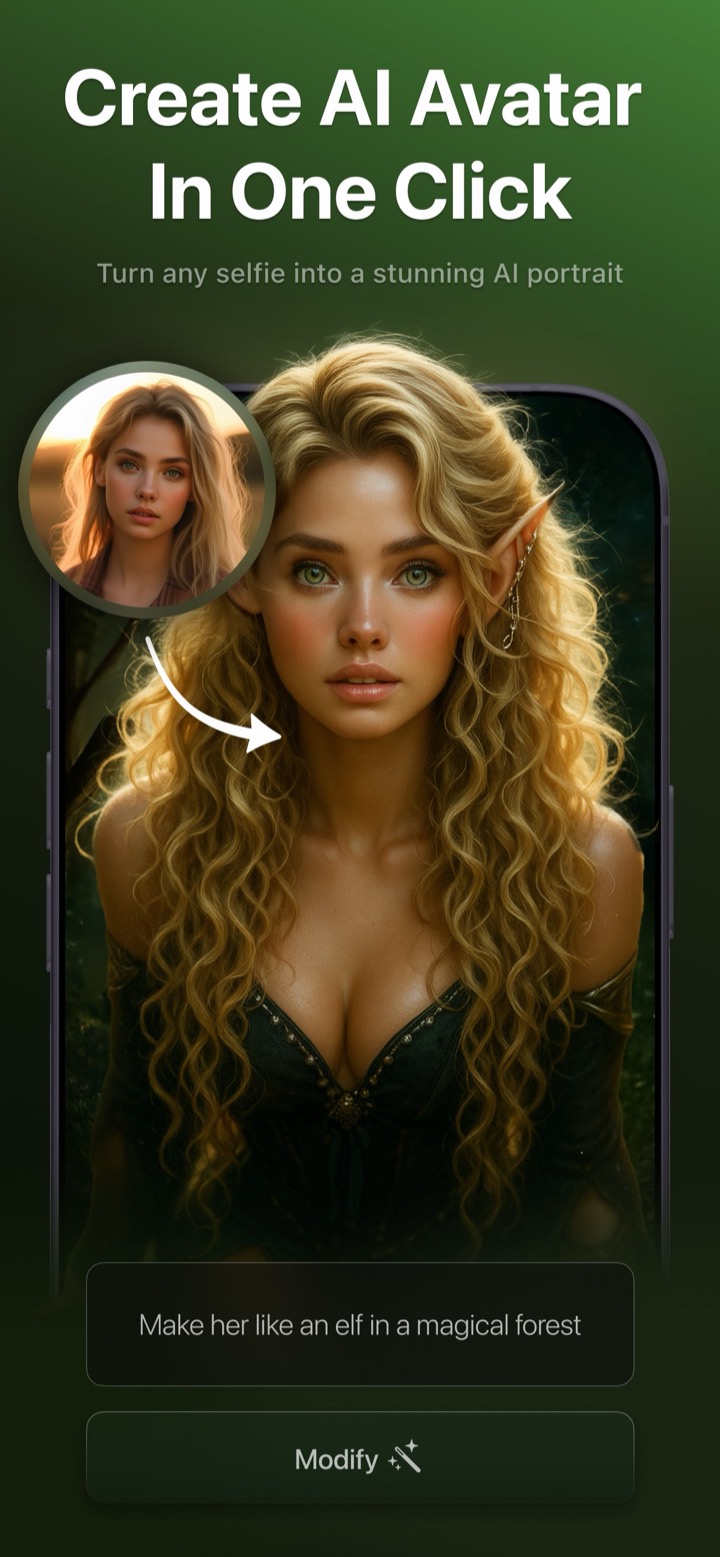
Browse template galleries — Trending, AI Avatars, Fashion, Historical, and Lifestyle — pick a look, and add a selfie. Photix detects a face to make sure your photo will work, pre-fills a descriptive prompt you can tweak, and generates a polished portrait.
- Dozens of templates across five themed categories
- Face detection prevents wasted generations
- Editable, pre-filled prompts for each template
- One-tap themed portraits ready to share
Polished output, exactly where you want it
No matter which mode you use, every creation flows into the same delightful result experience.
Save & share instantly
Every result is one tap from your photo library or the native iOS share sheet — post to Instagram, send in Messages, or save for later.
Variant history
Regenerate for fresh takes and flip between variants in a history strip, so you can compare options and keep the best one.
Reassuring, fast results
A friendly progress countdown keeps you comfortable while the AI works, and PRO adds priority processing for faster generations.
Private & safe by design
No accounts or logins, explicit tracking-consent prompts, and a content-safety filter that blocks unsafe prompts before they're sent.
The universal creative loop
Describe or choose, add a photo if you like, generate, then refine — the rhythm is the same everywhere in Photix.
- 01
Describe or choose
Type an idea, pick a one-tap style, or select an avatar template. No blank page — every mode gives you a starting point.
- 02
Add a photo (optional)
Attach a selfie or up to two reference photos to guide the result, or skip straight to generating from text alone.
- 03
Tap Generate
A friendly '~10 seconds remaining' countdown reassures you while Photix enhances the prompt and runs the AI model.
- 04
Refine, save, or share
Zoom in, regenerate for new variants, compare them in the history strip, then download to Photos or share anywhere.
Ten built-in art styles
Realism, Fantasy, Anime, Cinematic, Steampunk, Cyberpunk, Vintage, Paint, Illustration, and Pixel Art. Each one reshapes the same idea into a completely different look with a single tap.
Browse the stylesFree to create
Every creative mode is free to use — no account, no credit card, no design skills. An optional PRO upgrade inside the app unlocks unlimited, ad-free, watermark-free creation whenever you want it.
Explore avatar ideasDiscover companion apps
Photix also introduces you to sibling apps for video, enhancement, live portraits, and face swap.
Part of AI Photo Journey — a family of AI creativity apps for iPhone and iPad.